I found mine on amazon, click on the picture for a link!
So for all those curious this is how simple it is:
First hook the iPad connector to your projector cable
Next, hook the iPad connector to your iPad
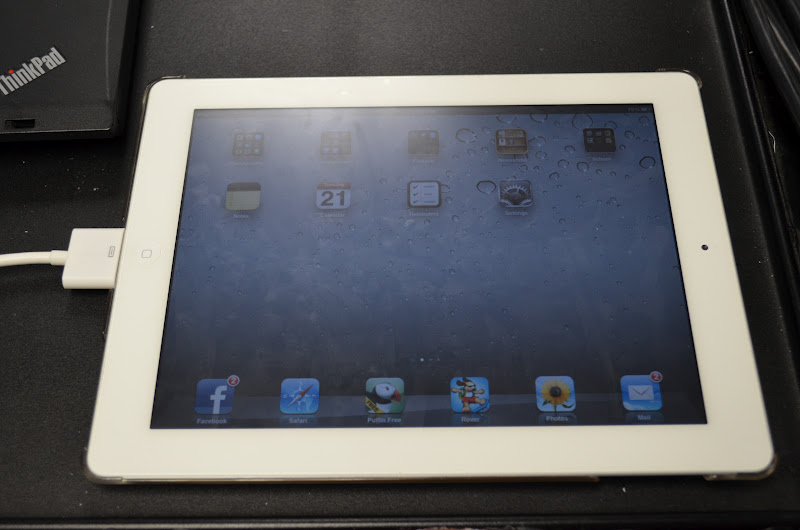
And as simple as that you are now projecting your iPad
A few things to know...You can't use your interactive board with this, it only projects your iPad (but the kids still think it's AWESOME!).
You can project games, books (which I mostly use)...just have your apps and books already purchased and downloaded if your school is not BYOT (bring your own technology).
You can not use an iPad one for this projector cord. You can not hook your sound up, so they have to hear it off your iPad (which is perfectly fine). Again merely bringing my iPad in and hooking it up gave me a TON of great teacher points :)
Another thing....a little peek at my Interactive Science Notebook so far
7 comments:
I recently "discovered" this and love it. My kids thought it was cool.
I'm in envy of your science notebook! Mine pale in comparison!!!
Ohhhh! Now I want an iPad SO bad! My hubby is going to kill me! :)
I don't know if you know of this website or not, but it is also fantastic on your Smartboard! Love, love your blog!
http://www.sheppardsoftware.com/
Awesome! Never really thought about making my ipad project, but I can see all of the cool things that can be done with it! Have to check into it. Thanks for sharing. I am now a follower. Come on over to my blog when you get a minute (and who has those right now with school starting?) and check it out!
Amanda
www.iheartelementary.blogspot.com
Love the interactive notes! Do you have more to share???
Planning to do an interactive science notebook this year and your blog was recommended by a colleague. Thanks for the ideas! On a side note, I have an Apple TV connected to my presenter. This allows me to project my iPad wirelessly, so I am free to walk around while I'm teaching with the iPad. Really great, if your district has the resources...
Post a Comment